
My motivation to use Dev Containers
I’ll share my experiences with an attempt to use VS Code Dev Containers.
Dev containers allow to sandbox our development experience to some extent, using Docker and virtualization under the hood. I got interested in that after noticing increased incidents of supply chain attack on developer tools in 2026.
As many projects do, we depend on dozens of 3rd party dependencies, which transitively depend on thousands more. They are constantly updated and at risk. A malicious package can compromise developer machine and wreak havoc across the organization.
Project’s tech stack
I was curious if I could switch from the “native” development experience to “containerized” one without noticing much change.
I selected a relatively simple front-end project to try this technology, supported mainly by these tools:
- Next.js (running on Node.js)
- Some PowerShell scripts
- Storybook
- Vitest
- Prettier
- Eslint
What went smoothly
- 🟢 Basic setup: I expected setting up the workspace and shortcuts to take some time.
In reality, I already had Docker and virtualization enabled and it was quite smooth. During initialization it took some time to download base docker images, but seems like it was one-time operation unless I want to update base images or change container configuration. - 🟡 VS Code Startup time: I was worried that VS code startup time would jump from current 1-2 seconds to something noticeably slow. In reality, workspace is ready after about 10 seconds. It’s not a bad experience, although a bit annoying when I want to find something quickly during live meeting.
- 🟢 Scripts pretty much worked: I expected that tasks in my package.json like
build,test,prettier-writemight require additional steps to work. I needed some adjustments like:- Fixing slash vs backslash in file paths, so app is compatible with Linux
- Removing
node_modulesand reinstalling them, so Linux variants of packages were chosen instead
- 🟢 Accessing web apps from Windows browser: I expected application’s port might change or Firewall might block access to containerized application. But it worked out of the box, on the same port.
What didn’t go well
- 🟡 Search in VS Code is noticeably slower. Not a deal breaker, but I notice it.
- 🟡 We use private npm feeds, and authentication failed. My global npm configuration in Windows was not accessible (which makes sense and proves the desired isolation) and I had to sign in again within container.
- 🟡 The default terminal is now Bash and not Powershell. Switching to powershell probably requires some extra configuration.
- 🟡 GitHub Copilot chat history was “clear” – it seems isolated from the history on Windows.
- 🟡 Many extensions didn’t work out of the box, for example prettier. I normally sync my extensions and have flawless experience on multiple machines, but here it would require additional configuration and time spent.
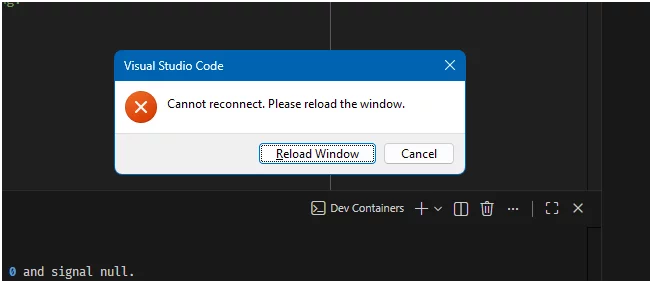
- 🟡 Initial stability issues: frequent reconnects and connection errors. Increasing WSL2 memory limit and enabling swap file resolved it. Example:
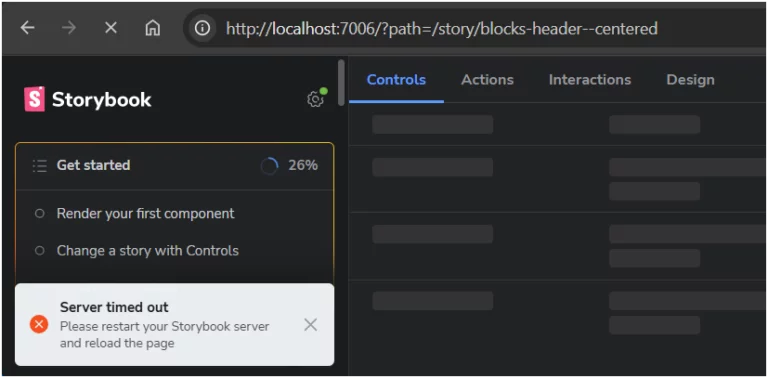
- 🔴 Apps being generally slow or timing out. This is unfortunately a deal breaker. Most of the time I am waiting and waiting for things to happen. CPU fan spins in high mode all the time, CPU usage is high, and WSL2 takes extra 12 GB of RAM it normally doesn’t need (though I’m still below my memory ceiling).
Summary
I was curious to try VS Code Dev Containers, but now I am cured because of the encountered reliability and performance issues.
I suspect that a big part of the performance hit might be caused by corporate software that we run, like antivirus or deep-packet inspection firewall. This is out of my control and I have no time to experiment further, so I am giving up experimenting at this point. My observations might not generalize, and you may still have much better experience!
I am aware of the classic tradeoff between security and convenience. Here, the convenience suffered too much 🥲